
During signup: Enter your discount code during the checkout process after you create your account.


After signup: Forgot to use your code? You can add it for future payments:
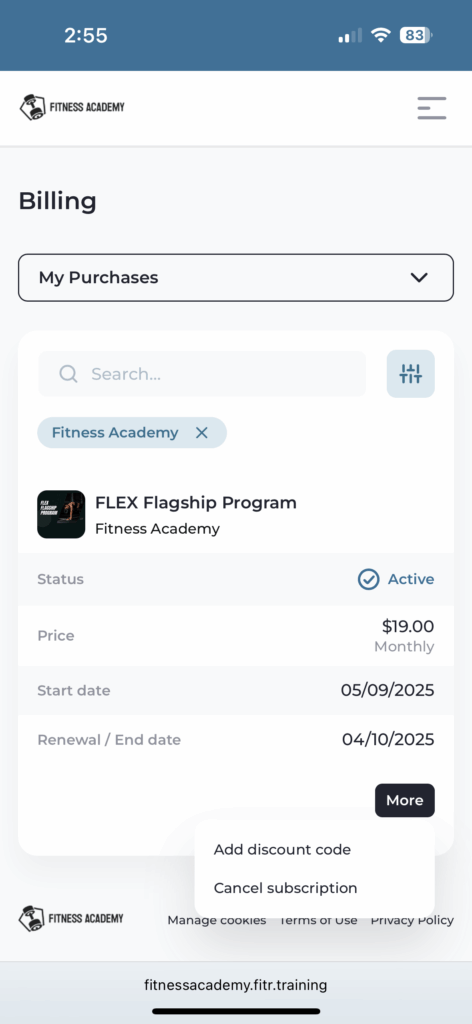
- Go to My Account → Manage Subscription on fitnessacademy.com website
- Login
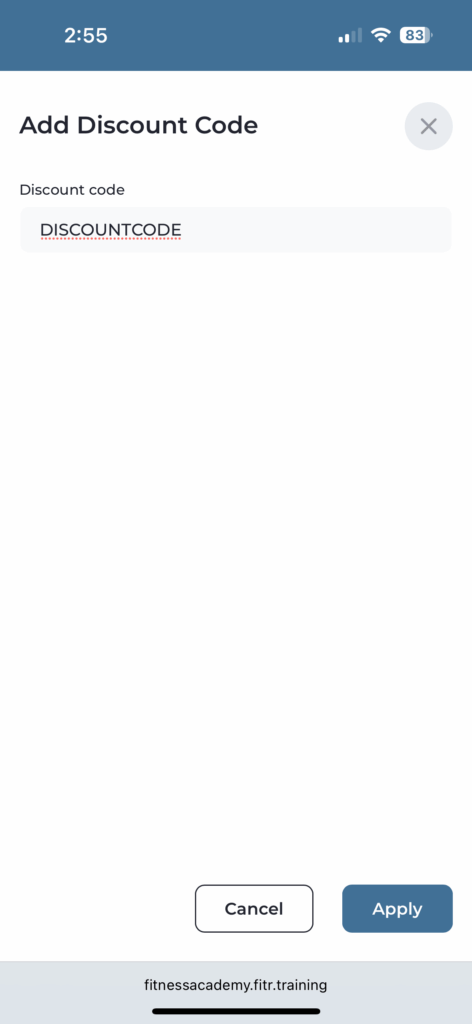
- Navigate to Billing → Add Discount Code
- Enter your code
Important rules:
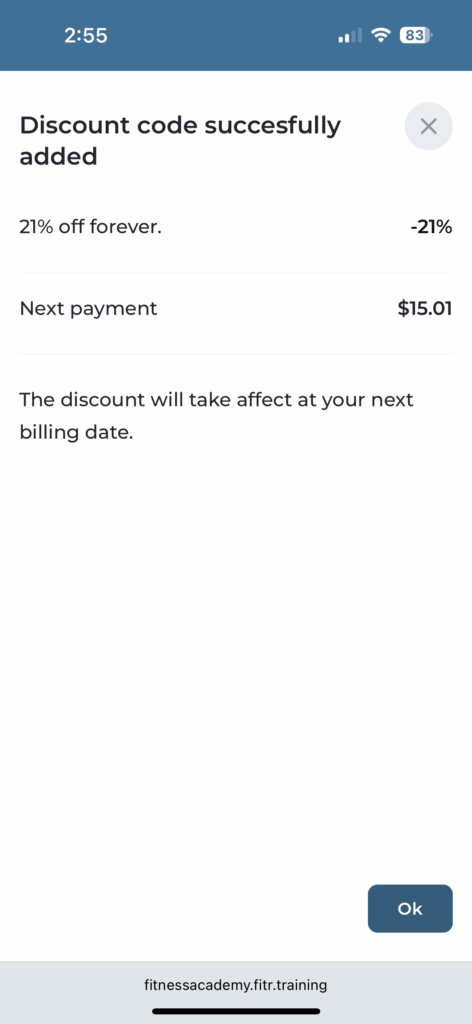
- Codes apply to future payments only (past charges are not refunded)
- Codes don’t stack – if you have multiple offers, contact support to apply the best one
- Codes are case sensitive (all upper case)
- One-time codes apply to your next bill only
- Recurring codes apply to every renewal until expired
Common code issues:
- Check for typos (number 0 vs letter O, extra spaces)
- Ensure the code matches your plan type
- Verify the code is still active
- Contact support with a screenshot if the code still won’t apply


